
[VarScript]
Scripting in minecraft on Groovy.
Features
- execute scripts on Groovy by command
- create script files
- autorun files
- tab-completion for groovy syntax (not full-featured)
- script can register events and timers.
- full access to Bukkit API (or Spigot API) and other plugins
load maven dependencies in runtime- download and update git projects
Why Groovy?
- It is very easy to learn. If you know Java, you are already able to use Groovy.
- Fast compilation. Groovy can be used as scripting language in runtime.
- Compiles to JVM-bytecode. This ensures a high performance.
- Fully compatible with Bukkit API and Java libraries.
- Extensible language: add a new methods to existing java classes, operator overloading, closures
- Very short code (compared to java). You can quickly type code in the console or chat.
Import external libraries from maven in runtime with Grape.
Get Started
- Download VarScript.jar to plugins/ directory
- start server
- wait until VarScript download dependencies
At first start it can take a long time! 1-5 minutes - use command
/> println "Hello $world.name"
Code examples using syntax extensions
// teleport Player1 to Player2
Player1 >> Player2
// set your HP to 100
me.maxhp = 100
me.hp = 100// spawn little zombie near your location
zombie = me.spawn(Zombie)
zombie.baby = true// give one diamond for all players
players*.give "DIAMOND"// suicide
kill meYou can try these examples in chat/console with /> command, or create file .groovy in folder plugins/VarScript/scripts/ and call it by name.
Command /> allows multiline text input.
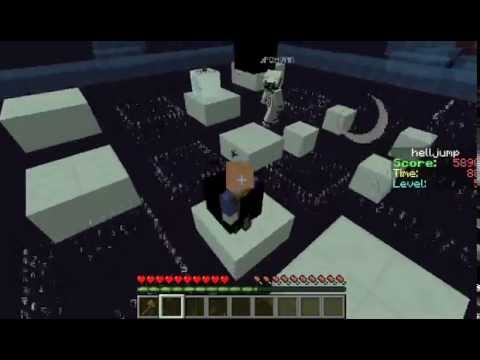
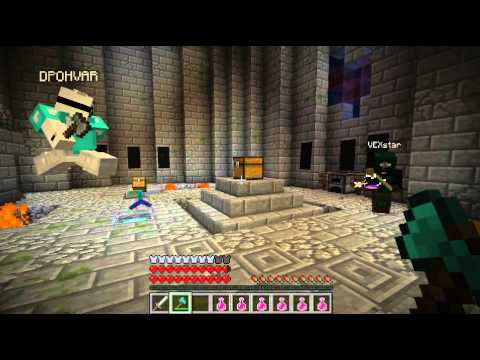
Script example
HellJump on youtube
Commands
Command /script, />
run groovy code:
/> (groovy code)
example: /> me.explode( 10 )
run script file:
/> (name) [arg1 [, arg2 [ ... , argN] ] ]
example: /> noDamage Player1
Command /workspace, /ws
show your current workspace:
/ws
show all workspaces:
/ws list
change your workspace:
/ws set (name)
create new workspace:
/ws create [name]
remove workspace:
/ws remove [name]
stop workspace:
/ws stop [name]
reload workspace:
/ws reload [name]
delete workspace files:
/ws delete-files [name]
Command /ws git
clone git project:
/ws git clone (url) [workspace]
next commands works in selected workspace. (/ws set name)
show branches:
/ws git branch [remote|all]
show log:
/ws git log [ref]
ckeckout:
/ws git checkout (ref) [force]
pull:
/ws git pull [remote] [branch]
fetch:
/ws git fetch [remote]
delete git folder:
/ws git delete [workspace]
Variables
List of variables
- me - you, as Player
- server - your bukkit server
- %PlayerName% - get player by name
- %PluginName% - get plugin by name
- %WorldName% - get world by name
- workspace - current workspace
- global - global storage of variables and workspaces
GitHub: https://github.com/DPOH-VAR/VarScript
Wiki: https://github.com/DPOH-VAR/VarScript/wiki
Similar projects
Script →Let Me Despawn
Improves performance by tweaking mob despawn rules. Say bye to pesky unintentional persistent mobs.
25MSueta
JourneyMap
Real-time map used for mapping in-game or your browser as you explore.
14.7MSueta
Emotecraft
Create your own emotes in Minecraft.
7.5MSueta
Simple Tpa
A simple tpa plugin which sends requests
5.4MSueta
Common Network
Forge and Fabric Unified Networking Solution
3.9MSueta
Set Home
A lightweight plugin for players to set their homes.
3.8MSueta