

 VoidChat
Purpose-built communication for modern Minecraft communities.
VoidChat separates player communication into proximity-based local chat and a server-wide global channel, giving communities clearer conversations without unnecessary complexity.
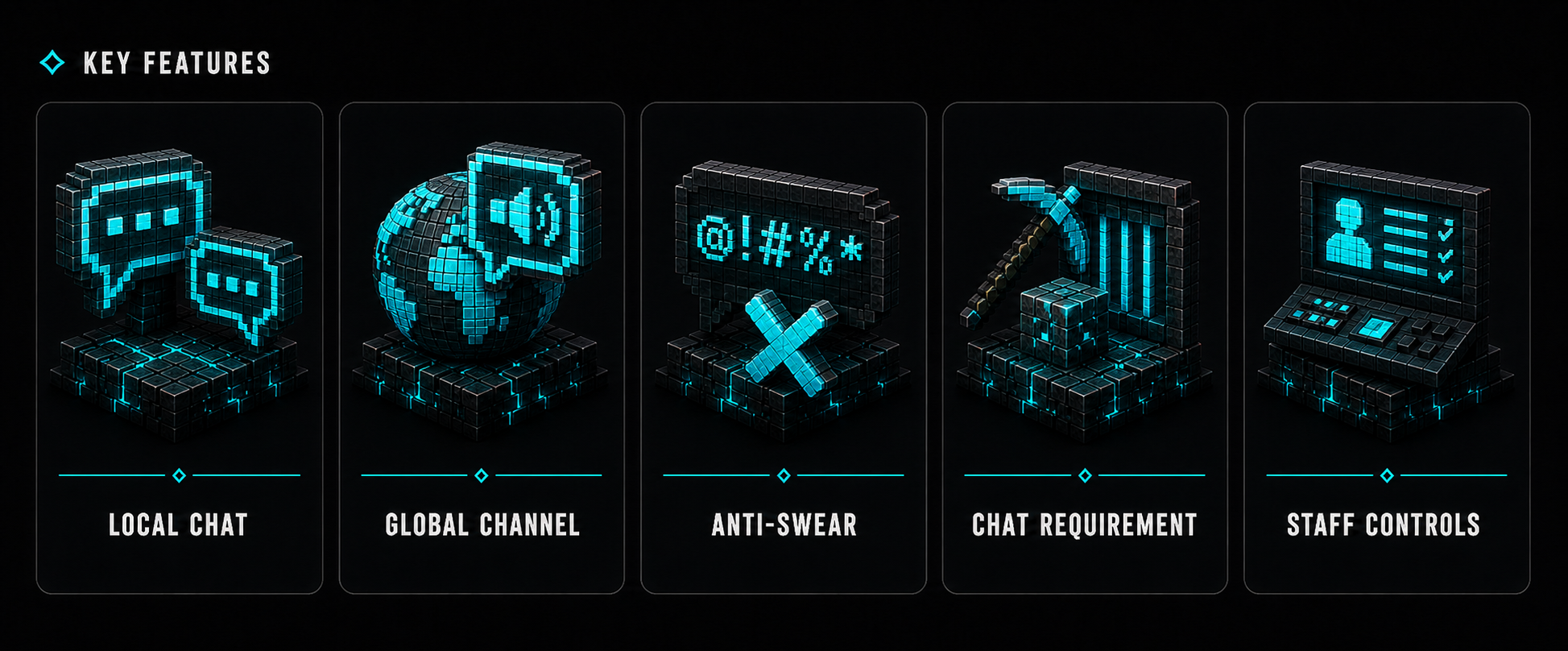
✨ Features
Everything needed to keep conversations organized without making server management difficult.
- Local chat with a configurable range or whole-world mode
- Global chat using
!message,/global <message>,/g <message>, or the main plugin command - Independent local and global cooldowns with separate bypass permissions
- Per-channel block requirements for local and global chat
- Persistent block progress and global-mute preference
- Anti-Swear detection resistant to colors, separators, accents, leetspeak, and common look-alike characters
- Correct enforcement of legacy and HEX chat colors
- Optional PlaceholderAPI support with protected internal placeholders
- Local Chat Spy, global-channel mute, chat clear, and server-wide chat toggle
- Compatible update selection based on Minecraft version and server engine
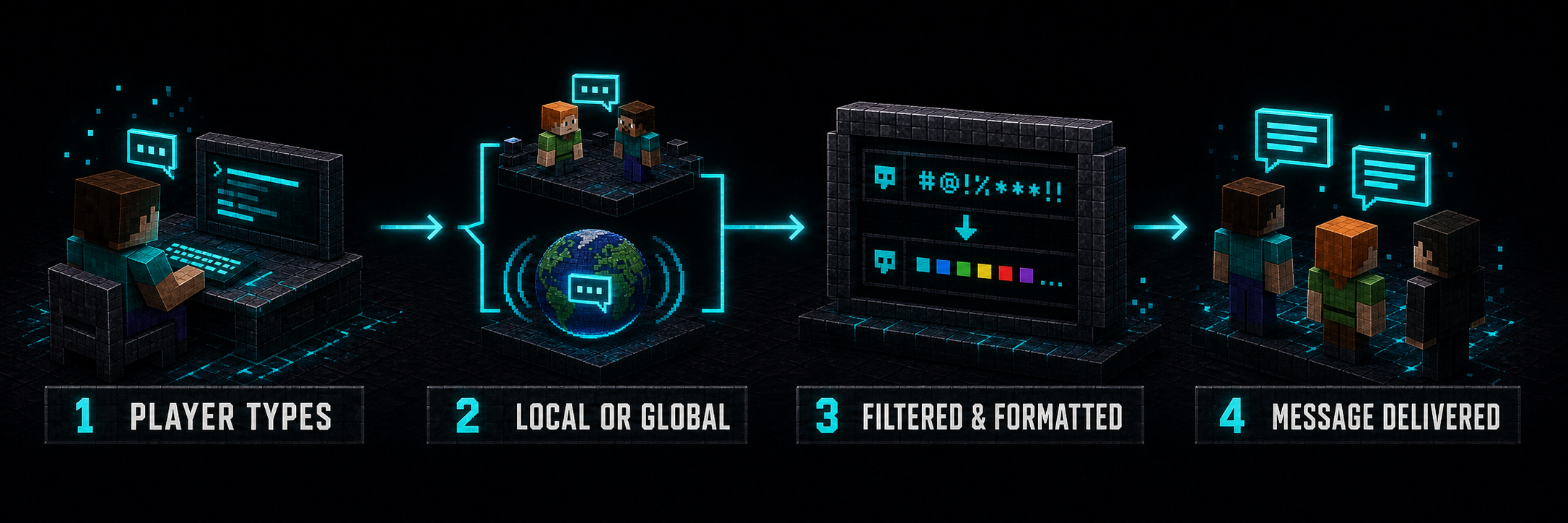
⚙️ How It Works
VoidChat turns every message into a clear, predictable communication flow.
- A player sends a regular message or selects the global channel.
- VoidChat verifies channel permissions, cooldowns, chat status, and block requirements.
- The message is safely filtered and formatted using the selected local or global format.
- Delivery is scheduled correctly for eligible players and the server console.
🌐 Channel Behavior
- A regular message is delivered to players within the configured local range.
- Setting
local-chat-rangeto-1makes local chat reach the sender's entire current world. !message,/global <message>,/g <message>,/voidchat global <message>, and/vc global <message>use the global channel.- Without
voidchat.global, a message beginning with!remains a local message and keeps the!character. - Players with
voidchat.mutecan mute or unmute received global messages with/voidchat muteor/vc mute.
🛠️ Commands
/vc is an alias for /voidchat and works with every subcommand. /global and /g are standalone shortcuts for global chat.
| Command | Alias | Description | Permission |
|---|---|---|---|
/voidchat | /vc | Display the help menu | voidchat.help |
/voidchat help | /vc help | Display the help menu | voidchat.help |
/voidchat global <message> | /vc global <message>, /global <message>, /g <message>, !message | Send a server-wide message | voidchat.use and voidchat.global |
/voidchat mute | /vc mute | Mute or unmute received global messages | voidchat.mute |
/voidchat reload | /vc reload | Validate and reload config.yml | voidchat.reload |
/voidchat admin | /vc admin | Toggle Local Chat Spy | voidchat.spy |
/voidchat clear | /vc clear | Clear player chat | voidchat.clear |
/voidchat toggle | /vc toggle | Enable or disable chat globally | voidchat.toggle |
🔐 Permissions
| Permission | Default | Description |
|---|---|---|
voidchat.help | Everyone | Display the help menu with /voidchat or /voidchat help |
voidchat.use | Everyone | Use local and global chat; without it, the player cannot send chat messages |
voidchat.global | Everyone | Send global messages with !message, /global, /g, or the global subcommand |
voidchat.mute | Everyone | Mute or unmute received global chat with /voidchat mute |
voidchat.admin | OP | Grant every VoidChat permission listed in this table |
voidchat.reload | OP | Reload and validate config.yml with /voidchat reload |
voidchat.spy | OP | Monitor local messages regardless of distance or world with /voidchat admin |
voidchat.clear | OP | Clear chat for every player with /voidchat clear |
voidchat.toggle | OP | Globally enable or disable the ability to chat with /voidchat toggle |
voidchat.color | OP | Use legacy formatting such as &a and HEX colors such as ABEF |
voidchat.bypass | OP | Bypass the block requirement in local and global chat |
voidchat.localbypass | OP | Bypass the local-chat cooldown |
voidchat.globalbypass | OP | Bypass the global-chat cooldown |
voidchat.admin automatically grants every VoidChat permission listed above.
⚡ Configuration
Control chat range, channel cooldowns, access requirements, filtering, formats, administrative bypass behavior, and every system message through config.yml.
The example below shows only a small part of
config.yml. The complete configuration includes all messages, help-menu lines, update settings, moderation responses, formatting options, and the full Anti-Swear list.
update-check: true
admin-bypass-chat-toggle: true

# Set either value to 0 to disable that cooldown
local-message-cooldown: 3
global-message-cooldown: 30

# Use -1 for the sender's entire current world
local-chat-range: 100.0

blocks-required: 10
chat-requirement-enabled: true
chat-requirement:
  apply-to-local: true
  apply-to-global: true

anti-swear:
  banned-words:
    - "badword1"
    - "badword2"

global-format: "&a&lGLOBAL &r&8»&7 %player%: %message%"
local-format: "&e&lLOCAL &r&8»&7 %player%: %message%"
Configuration values are validated during startup and reload. Invalid or unsafe values are rejected instead of being silently applied.

🎨 Formatting & Integrations
Players with voidchat.color can use legacy & formatting and HEX colors written as &#RRGGBB. Formatting codes from players without that permission are removed.
When PlaceholderAPI is installed, its placeholders can be used inside local-format and global-format. VoidChat resolves the format before inserting the player's message, preventing chat text from invoking arbitrary PlaceholderAPI placeholders.
VoidChat uses %name% notation for its internal values:
%prefix%%player%%message%%blocks_required%%time_remaining%%version%%url%
PlaceholderAPI remains optional and VoidChat continues to work without it.
🧹 Anti-Swear Behavior
Filtering normalizes case and accents, ignores inserted separators and Minecraft color codes, and detects common substitutions such as 0/o, 4/a, and 5/s. Matched characters are censored while the original message layout and permitted formatting are retained.

🔒 Privacy & Data
| Feature | Description |
|---|---|
| bStats | Sends anonymous server and plugin usage statistics. It can be disabled in plugins/bStats/config.yml. |
| Update Checker | Reads the public version.json catalog when update-check is enabled. |
| PlaceholderAPI | Optional local integration used only when PlaceholderAPI is installed. |
| Local Storage | Stores UUIDs, last-known names, remaining block requirements, and global-mute preferences in plugins/VoidChat/data.yml. |
| Server Console | Local and global chat output is also delivered to the server console. |
Player settings and progress are stored locally in data.yml.

💬 Support
Questions, bug reports, or feature requests? Join the official Discord server and we'll be happy to help.
Discord: https://discord.gg/jdWeSJbcKx

❤️ Thank You
Every message builds a community.
Thank you for making VoidChat a part of yours.
Similar projects
Plugin →VeinMiner
Mine the whole vein on mining a single ore/block. Make the tedious mining experience to something satisfying and fun! FTB Ultimine alternative
99.3MSueta
Simple Voice Chat
A working voice chat in Minecraft!
76.8MSueta
Chunky
Pre-generates chunks, quickly and efficiently
18.4MSueta
VeinMiner Enchantment
Veinminer Addon - Adds vineminer enchantment to enchanting tables. Only tools with the enchantment can veinmine
18MSueta
JourneyMap
Real-time map used for mapping in-game or your browser as you explore.
14.7MSueta
WorldEdit
A Minecraft Map Editor... that runs in-game! With selections, schematics, copy and paste, brushes, and scripting. Use it in creative, or use it temporarily in survival.
11.6MSueta