
xRGMessage – Set Custom Messages On Enter/Exit Regions
1.0Bring Your Minecraft World to Life with Dynamic Messages & Notifications!
xRGMessage - Region-Based Messaging Plugin
Overview
xRGMessage is a Bukkit/Spigot plugin that enhances player experience by dynamically displaying titles, subtitles, and playing sounds when entering or exiting WorldGuard regions.
Features
 Custom titles, subtitles, and sounds on region enter/exit.
Execute custom commands when players enter/exit a region.
Supports Hex colors, Minecraft color codes, and Unicode text.
Animated text effects (Flash effect, instant display, configurable duration).
Compatible with Minecraft 1.20.1 - 1.21.4
Debug mode with particles and logging for easy configuration.
Installation
- Ensure you have WorldGuard installed.
- Download the latest xRGMessage plugin JAR.
- Place the JAR file in your server's /plugins folder.
- Restart your server.
- Configure the plugin in plugins/xRGMessage/config.yml.
Image Example
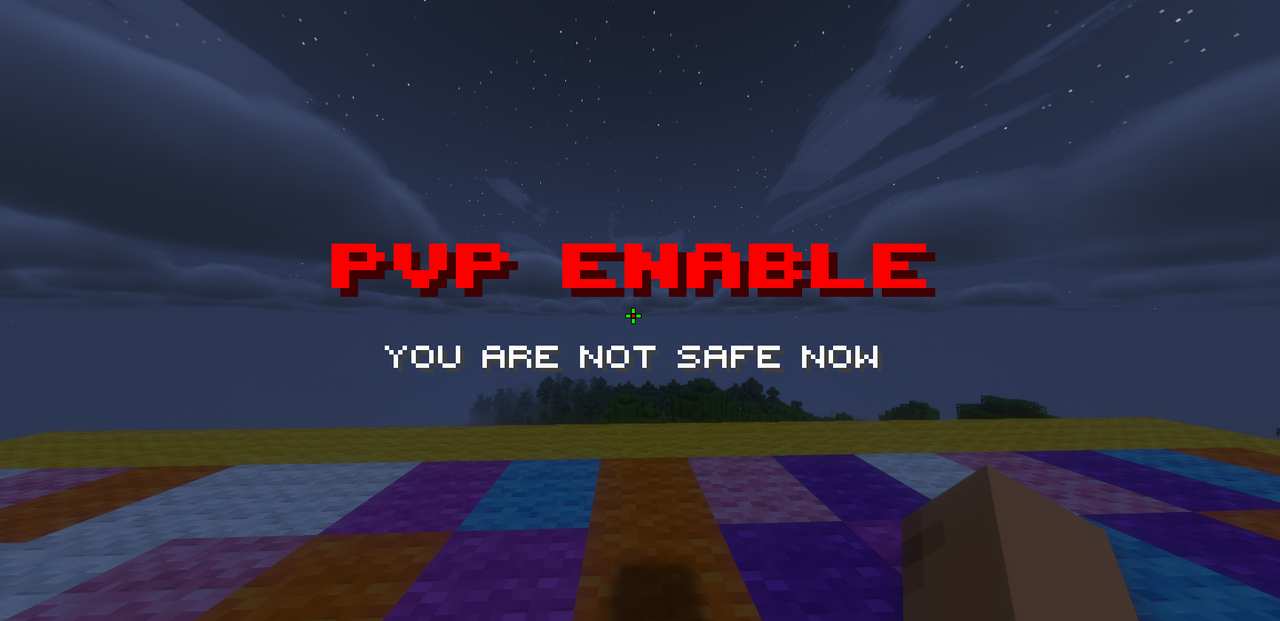
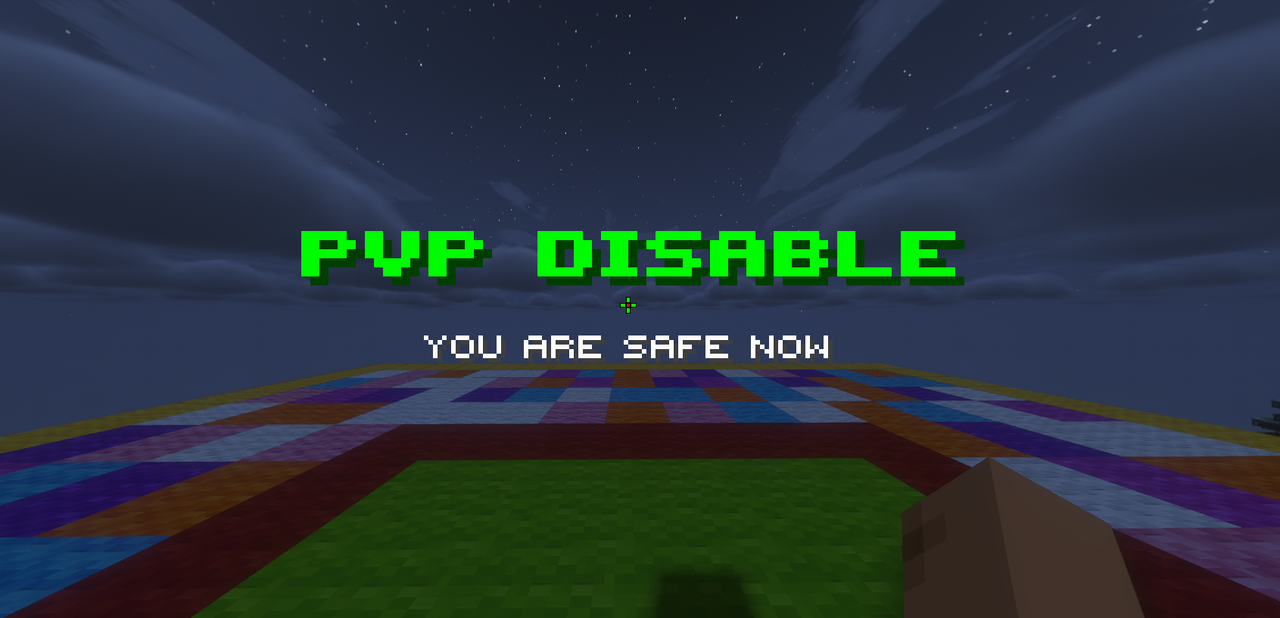
Config.yml
Configuration
settings:
debug-mode: false # Enable detailed debugging
debug-particle-effect: true # Show particles at region boundaries in debug mode
log-level: "normal" # Options: normal, verbose, minimal
animations:
enabled: true # Enable animations
type: "FLASH" # Options: FLASH, NONE
duration: 10 # Animation duration (ticks)
enter-color: "#00FF00" # Color when entering
exit-color: "#FF0000" # Color when exiting
Example Region Configurations
Region 1 - Welcome Message & Warp Command
format-1:
region-enter:
region-name: "your-regionname"
command: "/warp pinata %player%"
title: "Welcome!"
subtitle: "Enjoy your stay."
playsound: "minecraft:entity.ender_pearl.throw"
Region 2 - PvP Status Notification
format-2:
region-enter:
region-name: "spawn"
title: "#00FF00&lᴘᴠᴘ ᴅɪѕᴀʙʟᴇ"
subtitle: "#FFFFFFʏᴏᴜ ᴀʀᴇ ѕᴀꜰᴇ ɴᴏᴡ"
playsound: "minecraft:entity.player.levelup"
animation:
type: "FLASH"
duration: 10
start-color: "#FF0000"
Color Codes
- Minecraft Color Codes: &0-&f, &l, &m, &n, &o, &r
- Hex Colors (Minecraft 1.16+): #RRGGBB
Example:
title: "#00FF00Welcome to &lSpawn"
subtitle: "&eEnjoy your stay!"
Placeholders
- %player% → Player's name
- %displayname% → Player's display name
- %world% → World name
Commands
Command Description
/xrgmessage reload Reloads the plugin configuration
/xrgmessage help Displays help information
/xrgmessage version Shows plugin version
/xrgmessage debug [on off]
/xrgmessage loglevel [normal verbose]
Permissions
Permission Description
xrgmessage.use Basic command access (default: true)
xrgmessage.reload Permission to reload the plugin (default: op)
xrgmessage.debug Permission to use debug commands (default: op)
xrgmessage.admin Full admin access (default: op)
Debug Mode
- Enable debugging with /xrgmessage debug on
- Set logging level: /xrgmessage loglevel normal | verbose | minimal
- When enabled:
- Particles show at region boundaries (green for enter, gray for exit).
- Admins receive chat messages when crossing regions.
- Detailed logs appear in the console.
Support
Need help? Contact the author on Discord: godxpro.exe
Credits
Plugin Development: GodXPro
Testing & Feedback: GodXPro Community
Special Thanks: WorldGuard team for their amazing region protection plugin.
Similar projects
Plugin →Let Me Despawn
Improves performance by tweaking mob despawn rules. Say bye to pesky unintentional persistent mobs.
25MSueta
JourneyMap
Real-time map used for mapping in-game or your browser as you explore.
14.7MSueta
Emotecraft
Create your own emotes in Minecraft.
7.5MSueta
Simple Tpa
A simple tpa plugin which sends requests
5.4MSueta
Common Network
Forge and Fabric Unified Networking Solution
3.9MSueta
Set Home
A lightweight plugin for players to set their homes.
3.8MSueta