

Please read the concept of this plugin
Concept :
- 1. Player A and Player B gets default 3 lives and 10 Hearts
- 2. Player A killed Player B, then Player B will lose 1 live (remaining = 2) and in exchange of the live, player B will get +5 Hearts (total = 15).
- 3. If Player A again killed Player B, then Player B will lose 1 live (remaining = 1) and in exchange of the live player B will get +5 Hearts (total = 20)
- 4. After this if Player B killed Player A, then Player B will gain 1 live and -5 Hearts.
-
NOTE : The maximum hearts obtainable are 25 and maximum lives are 3, so no one can go beyond it (untill changed from config.yml)
1. Plugin Description
ZLives is a unique Minecraft plugin that introduces a lives and heart system to your server. Players start with a limited number of lives and hearts, and their actions (such as killing other players or being killed) affect their lives and hearts. Key features include:
- Lives System:
Players start with a default number of 3 lives. When a player loses all their lives, they are eliminated and put into spectator mode. - Heart System:
Players have a limited number of hearts, default is 10 (20 Heart points). Hearts determine the player’s max health. - Revival System: Eliminated players can be revived using a special Revive Book or by an admin using the
/revivecommand. - Elimination Animation: When a player is eliminated, a dramatic animation and sound effect play to signify their elimination.
- Customizable Config: The plugin allows server admins to configure default lives, hearts, and other settings via the
config.ymlfile. - Commands:
/lives: Check your remaining lives and hearts./revive <player>: Revive an eliminated player (admin-only)./elimination-animation: Play the elimination animation on a player or at specific coordinates (admin-only).
2. Installation Guide
Follow these steps to install and set up the ZLives plugin on your Minecraft server:
Step 1: Download the Plugin
- Download the
ZLives.jarfile from the provided source (e.g., SpigotMC, GitHub, or your custom build). - Place the
ZLives.jarfile in your server'spluginsfolder.
Step 2: Start the Server
- Start or restart your Minecraft server.
- The plugin will generate a default
config.ymlfile in theplugins/ZLivesfolder.
Step 3: Configure the Plugin
- Open the
config.ymlfile located in theplugins/ZLivesfolder. - Customize the settings as needed.
Step 4: Test the Plugin
- Join your server and test the plugin’s features.
- Use the
/livescommand to check your lives and hearts. - Test the elimination and revival mechanics.
3. Screenshots
Elimination Animation
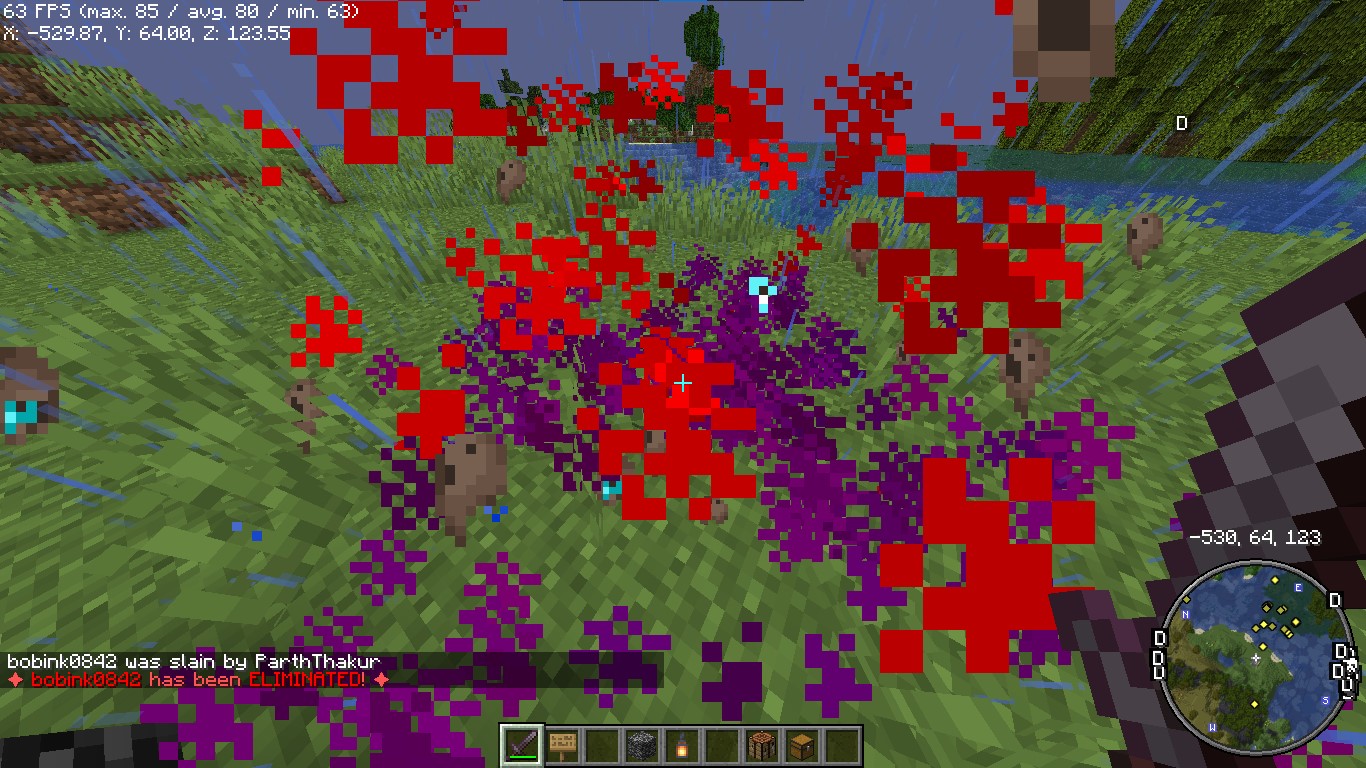
Players see a dramatic animation when they are eliminated.
Revival Animation
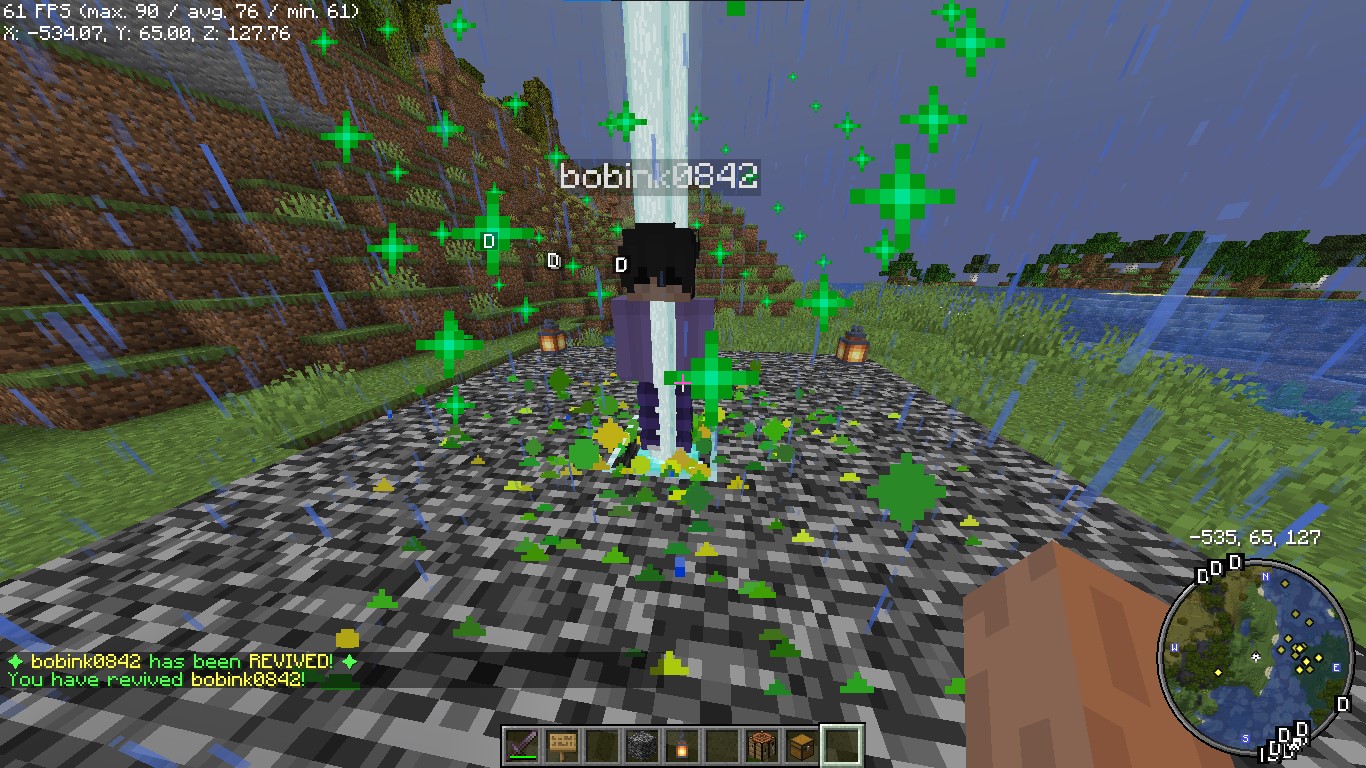
Players see a dramatic animation when they are eliminated.
Revive Book

The Revive Book can be crafted and used to revive eliminated players.
Note: This recipe can be changed from config.yml.
Remaining Lives message after killed by a player

+5 Hearts on every death by a player
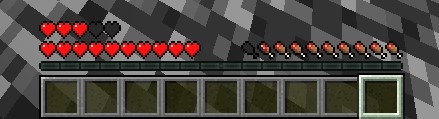
+5 Hearts when a player is killed by other player
Elimination Message
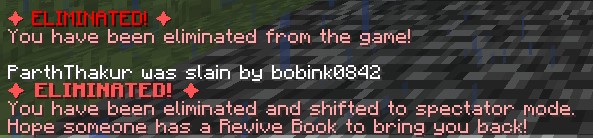
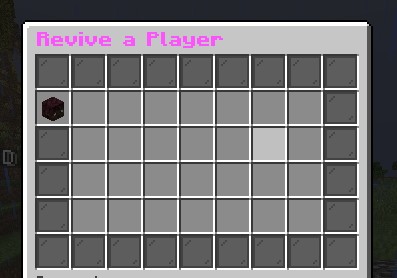
ReviveGUI
4. Donations
Liked my Content? Want to support me?
- Support me by sending money on this UPI QR Code.

5. Reporting Issues
Need Help? Contact Us!
Encountered a problem or have suggestions? We’re here to assist you!
📧 Discord Support: Contact me on Discord at @iitian_69.
Step 1: Check the Logs
- Look for error messages in the server console or
logs/latest.log. - Copy the relevant error message.
Step 2: Provide Details
When reporting an issue, include the following information:
- Minecraft Version: The version of Minecraft your server is running.
- Server Software: The server software you’re using (e.g., Spigot, Paper).
- Plugin Version: The version of the ZLives plugin you’re using.
- Steps to Reproduce: A detailed description of how to reproduce the issue.
- Error Logs: The error message or log snippet.
Step 3: Submit the Issue
Contact me at discord username is : @iitian_69
Example Issue Report
**Minecraft Version**: 1.21.4
**Server Software**: Paper
**Plugin Version**: 1.0.0
**Issue**: Players are not losing hearts when they kill another player.
**Steps to Reproduce**:
1. Set default lives to 3 and hearts to 10 in the config.
2. Have a player with 2 lives kill another player.
3. Check the killer’s hearts after the kill.
**Error Logs**: [No errors in the logs]
Final Notes
The ZLives plugin adds a unique and engaging gameplay mechanic to your Minecraft server. If you have any questions, need further assistance, or want to suggest new features, feel free to reach out! 
Happy gaming! 
Similar projects
Plugin →VeinMiner
Mine the whole vein on mining a single ore/block. Make the tedious mining experience to something satisfying and fun! FTB Ultimine alternative
99.3MSueta
Simple Voice Chat
A working voice chat in Minecraft!
76.8MSueta
VeinMiner Enchantment
Veinminer Addon - Adds vineminer enchantment to enchanting tables. Only tools with the enchantment can veinmine
18MSueta
JourneyMap
Real-time map used for mapping in-game or your browser as you explore.
14.7MSueta
Plasmo Voice
A proximity voice chat mod with audio positioning and lots of features
4.1MSueta
ItemSwapper
Inventory update concept for hotswapping items.
2.1MSueta