
 Presentation of CraftSearch
The most powerful Minecraft server search engine in-game. By PlugN, Punisher5 and ZabriCraft. Here are some reasons why you should register your server on CraftSearch.
For the servers:
YOU SET IT UP IN A MINUTE.
The core of the CraftSearch technology is developed by ZabriCraft. The advantage for you is that adding your server to CraftSearch in our database is easier than any other Minecraft server listing service. All you need is to install a very light and invisible open source plugin on your server. Yes, that’s all. You become a member of CraftSearch. You just need to set the name of your server, along with a description and if needed it’s domain name in the « config.yml ». And guess what! We already know if your server is in online/offline mode, it’s IP and port, the number of players online and maximum slots available, and the whitelist status. Please note that if you are a premium server, you will need to set a BungeeCord up if not done yet, and enable the PremiumGuard module in the same configuration file.
PLAYERS DON’T HAVE TO MEMORIZE YOUR IP ADRESS.
As we have the IP address, we are showing it to the players under your description. But the magic trick is that to join the server, the player only has to click on the item. Yes, that’s all. No copy/paste, no logout. The player is already on your server*.
NEW PLAYERS WILL COME EVERY DAY!
Players are able to search your name directly, but also keywords of your description, like mini-games (example: if you have “TNTRUN” in your description, and a player searches for “tnt run”, he will find your server). In addition to that, we are showing the servers randomly each time a player searches for a word, so we are sure that every server will be showed to the player.
THE ONLY SEARCH ENGINE AVAILABLE IN-GAME
We are the first worldwide search engine for Minecraft servers in-game. We have the ambition to change the gaming world by showing the players so many new little unknown servers that are better than the same big servers on which they are playing all the time. Show that your server also deserve to be seen! We also have a website that gives you a real time preview of all the servers that we have already saved. On that website you are also able to download the plugin to become a member of the CraftSearch system. And finally, to set the rules to any future rival, our service is completely free. So stop hesitating and join us! Additionally, we are without any engagement, you can leave the search engine by simply uninstalling the plugin. You are free to join us and free to leave.
AN ADVANCED API MADE FOR YOUR NEEDS.
We developed an API allowing a total integration of your servers with CraftSearch, in a transparent way. Our technology ConnectSwitcher allows the CraftSearch players to switch from one of your servers to another using your own regular server switch menu. You also can adjust the name and description of your server in real time through your plugins, to help you tell the CraftSearch players that a game is already running or that you are waiting for players, for example. Our API is in a constant evolution, so watch it closely if you are interested.
NO MATTER WHO YOU ARE.
You can join us with any version of Spigot superior to the 1.5, however we strongly recommend to use at least the 1.7 to make it compatible with Click-To-Connect.
*on condition that you properly configured your BungeeCord and enabled PremiumGuard.
Join us now !
https://www.craftsearch.net/en/join
For the players:
THE FASTEST TOOL TO FIND A SERVER.
To find a server, all you need to do is to enter the « /s » command followed by your searched terms. It is that simple. An inventory opens and shows you the results found for your request. When you find a nice server on which you want to play, just click on it and you’ll be connected on it (admitting the server properly followed the configuration procedure). And if you already know on which server you want to connect, you can use the « /c » command that will directly connect you to the server you want (in case of confusion, the results for a search will be displayed). You can also request a random list of servers if you are lacking ideas to find a server.
YOUR PERSONAL SPACE.
Want to find on which server you played last month ? Don’t panic! Thanks to your personal space, you can find the history of your connections, and to avoid always having to search for a server in your history, you also can set bookmarks to servers, exactly like you would do using a web browser. All that in the game, synced on the web.
WHOEVER YOU ARE.
We accept all the players running Minecraft 1.7 or more and are doing our best to always support the last version of Minecraft at the latest a month after it’s release (although it is usually done during the release week).
WHOEVER SIE ERES. INTERNATIONAL SUPPORT.
We are doing our best to translate CraftSearch in as many languages as possible, and as quickly as we can with volunteer bilingual or trilingual helping the project to expand. We already provide full support in English, French, German and Spanish on our assistance platform. Don't hesitate to notify us when you see a translation mistake.
THE ONLY IN-GAME SEARCH ENGINE TODAY.
You just have to try the revolution now. Our service is completely free to use. And if for any reason it doesn't suit you, well at least you would have tried it. However you need to know that we are completely open to any feedback, positive or negative, and are really watchful about your needs, so do not hesitate to use our assistance platform, it is there for that!
Join us now!
mc.craftsearch.net
French version is available on our website !
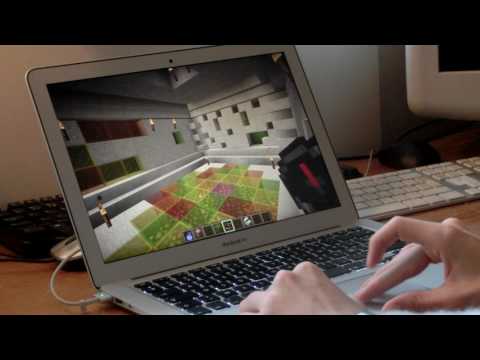
A short video presentation of our project:

HOW TO INSTALL CRAFTSEARCH
1. Download
To install the CraftSearch plugin on your server, download it. Move the downloaded file in the /plugins/ folder of your server.
2. Configuration
To configure the plugin, start the server a first time to generate the /plugins/CraftSearch/config.yml file. When the file is generated, open it.
You can find all options in this table :
name: Display name of the server in the search engine
description: Description of the server in the search engine
ip: Domain name or ip of your server
owner: UUID of the server owner, to link it with a CraftSearch Account in the manager
enable-premiumguard: Enable PremiumGuard service
enable-checkforupdate: Enable check for update
You have to reload/restart your server to apply changes.
Video tutorial

Similar projects
Plugin →Let Me Despawn
Improves performance by tweaking mob despawn rules. Say bye to pesky unintentional persistent mobs.
25MSueta
JourneyMap
Real-time map used for mapping in-game or your browser as you explore.
14.7MSueta
Emotecraft
Create your own emotes in Minecraft.
7.5MSueta
Simple Tpa
A simple tpa plugin which sends requests
5.4MSueta
Common Network
Forge and Fabric Unified Networking Solution
3.9MSueta
Set Home
A lightweight plugin for players to set their homes.
3.8MSueta