
SendMSG – Private Messaging for Your Server




Lightweight, multilingual, and fully customizable private messaging plugin for Paper 1.21+ and 26.1+
Works on its own. No other plugin is required.
✨ Features
| Feature | Description |
|---|---|
 5 sending commands 5 sending commands | /msg, /m, /tell, /w, /pm |
 Quick reply Quick reply | /r or /reply – reply to the last sender, even if they are offline (when offline messages are on) |
 3 languages 3 languages | English, Ukrainian, Russian (change with /sendmsg lang) |
 Anti-spam Anti-spam | Configurable delay between messages, with a bypass permission |
 Sound alerts Sound alerts | Customizable sounds for sending and receiving |
 Subtitles Subtitles | Popup notification when you receive a message |
 Block PMs Block PMs | /msgtoggle – disable incoming private messages |
 SocialSpy SocialSpy | /spy – see all private messages (operators) |
 Ignore system Ignore system | /ignore and /ignore list – ignore players, with auto-expiry |
 Offline messages (optional) Offline messages (optional) | Messages to offline players are shown when they join |
 Link and IP filter (optional) Link and IP filter (optional) | Hides or blocks links and IP addresses in private messages |
 LuckPerms prefixes (optional) LuckPerms prefixes (optional) | Shows the sender's group prefix, e.g. [Admin] Alex -> Bob |
 PlaceholderAPI (optional) PlaceholderAPI (optional) | Placeholders for unread count, last contact, and more |
 Clickable reply (optional) Clickable reply (optional) | The reply hint is a button that fills in /r |
 Discord logging (optional) Discord logging (optional) | Sends every private message to a Discord channel (webhook) |
 Message logging Message logging | All PMs saved to logs/private.log |
 Storage Storage | SQLite database (default) or YAML files |
 Auto cleanup Auto cleanup | Expired ignores are removed every minute; old offline messages every hour |
| Update notifications | Checks Modrinth on startup and tells operators when a new version is out |
 Fully customizable Fully customizable | All messages in messages/*.yml, with colour codes |
 EssentialsX compatible EssentialsX compatible | Takes over private messages from EssentialsX |
Optional features are OFF by default. Turn them on in config.yml. The plugin works without any of them.
🎮 How it looks in-game
When you send a message:
✉ You -> Player: Hello!
When you receive a message:
 Subtitle:
 ✉ You have a message- Chat:
✉ Player writes you: Hello! - Reply hint:
→ Reply with: /r (text)  Sound:
 ENTITY_EXPERIENCE_ORB_PICKUP
All text, sounds, subtitles, and colours can be changed in the configuration files.
📋 Commands
| Command | Description | Aliases |
|---|---|---|
/msg <player> <message> | Send a private message | /m, /w, /tell, /pm |
/r <message> | Reply to the last player you talked to | /reply |
/ignore <player> | Ignore or unignore a player (toggle) | /ig |
/ignore list | Show who you ignore and how long each ignore lasts | – |
/msgtoggle | Turn incoming private messages on or off | – |
/spy | Toggle SocialSpy (see all PMs) | – |
/sendmsg lang <code> | Change the plugin language | – |
/sendmsg spies | Show who currently has SocialSpy on | – |
/sendmsg reload | Reload the configuration | – |
/sendmsg help | Show help | – |
Language codes: EN (English), UA (Ukrainian), RU (Russian)
🔐 Permissions
| Permission | Description | Default |
|---|---|---|
sendmsg.msg | Allows /msg and /m |  true |
sendmsg.reply | Allows /r and /reply | true |
sendmsg.ignore | Allows /ignore | true |
sendmsg.msgtoggle | Allows /msgtoggle | true |
sendmsg.color | Allows colour codes (&a, &#RRGGBB...) in private messages |  op |
sendmsg.bypass.cooldown | Bypass the message cooldown | op |
sendmsg.filter.bypass | Not filtered by the link and IP filter | op |
sendmsg.spy | Allows /spy (SocialSpy) | op |
sendmsg.admin | Access to /sendmsg admin commands | op |
With LuckPerms, give these permissions to groups in LuckPerms instead of to single players.
⚙️ Configuration (config.yml)
Basics
# Plugin language: ru-RU, uk-UA, en-EN
lang: en-EN

# Delay between messages, in seconds
cooldown-seconds: 10

# Longest private message, in characters (0 = no limit)
max-message-length: 200
Features
Turn parts of the plugin on or off:
features:
  subtitle: true          # subtitle when you receive a message
  sound-receive: true     # sound when you receive a message
  sound-send: true        # sound when you send a message
  reply-hint: true        # "/r" hint below incoming messages
  clickable-reply: false  # make the hint a button (off by default)
  cooldown: true          # message cooldown
  msg-toggle: true        # /msgtoggle
  social-spy: true        # /spy
  log-to-file: true       # save all PMs to logs/private.log
Storage
storage:
  type: sqlite            # sqlite = plugins/SendMSG/sendmsg.db | yaml = ignores.yml, names.yml, offline.yml
  fallback-to-yaml: false # if SQLite cannot open, stop with an error (false) or use YAML files (true)
On the first start with sqlite, data from the YAML files is imported automatically (only if the database is empty). Changing storage.type later does not move data back. Restart the server after changing it.
Offline messages (off by default)
offline-messages:
  enabled: false          # store messages for offline players
  max-per-player: 50      # undelivered messages per player
  expire-days: 30         # delete undelivered messages after N days (0 = keep)
Link and IP filter (off by default)
filters:
  enabled: false          # turn the filter on
  links: true             # hide http(s):// and www. links and bare domains
  ip-addresses: true      # hide IPv4 addresses, with or without a port
  action: mask            # mask = replace with [hidden] | block = do not send the message
Integrations (off by default)
integrations:
  luckperms:
    enabled: false        # show the sender's LuckPerms prefix (needs LuckPerms)
  placeholderapi:
    enabled: false        # register %sendmsg_...% placeholders (needs PlaceholderAPI)
Restart the server after changing the integrations.
Discord logging (off by default)
discord-webhook:
  enabled: false
  url: ""                 # your webhook URL – keep it secret
  username: "SendMSG Spy"
Setup guide: docs/discord-webhook.md.
Sounds
sound:
  receive:
    name: ENTITY_EXPERIENCE_ORB_PICKUP
    volume: 1.0
    pitch: 1.2
  send:
    name: ENTITY_VILLAGER_WORK_CARTOGRAPHER
    volume: 1.0
    pitch: 1.0
Ignores
ignore:
  auto-expire-days: 7            # remove an ignore after N days (0 = forever)
  notify-ignored-sender: true    # tell the sender their message was blocked
Update checker
update-checker:
  enabled: true              # check Modrinth on startup for a new version
  notify-ops-on-join: true   # tell operators when they join, if an update exists
📝 Message formats
Texts are in messages/en-EN.yml, messages/uk-UA.yml, and messages/ru-RU.yml.
format:
  incoming:    "&2✉ &f&l{from} &7writes you: &f{message}"
  reply-hint:  "&2→ &7Reply with: &b&n/r (text)"
  outgoing:    "&2✉ &7&lYou &7-> &f&l{to}&7: &f{message}"
  spy:         "&8[SPY] &7{from} -> {to}: {message}"
  console-name: "Console"

subtitle: "&2✉ &7You have a message"
subtitle-reply: "&2✉ &7Someone replied to you"
Colour codes: &0-9, &a-f, &k-o, &r, and &#RRGGBB. Players without sendmsg.color have them removed from their messages.
🚀 Installation
- Download
SendMSG.jar - Place it in your server's
plugins/folder - Restart your server
- (Optional) Edit
config.ymlormessages/*.yml - Done! The plugin works immediately
Upgrading from 2.0.x? Your ignore lists and nicknames from ignores.yml and names.yml are imported into the new SQLite database on the first start. The original files are kept as a backup. To keep using the YAML files instead, set storage.type: yaml. Your config.yml is rebuilt from the new template on the first start: comments and layout are updated, your values are kept, and the old file is saved as config.backup-v<n>.yml. Settings that no longer exist are removed.
❓ FAQ
-
How do I change the language?
Use/sendmsg lang EN(English),/sendmsg lang UA(Ukrainian), or/sendmsg lang RU(Russian). -
How do I disable sounds?
Setsound-receive: falseandsound-send: falseinconfig.yml. -
How do I remove the cooldown?
Setcooldown-seconds: 0inconfig.yml, or give players thesendmsg.bypass.cooldownpermission. -
How does
/ignorework?
/ignore <player>adds a player to your ignore list. Use the command again to remove them. A blocked sender is told that you ignore them (unless you turnnotify-ignored-senderoff). -
Can ignores expire automatically?
Yes. Ignores are removed afterauto-expire-days. -
Can I block all private messages?
Yes. Use/msgtoggle. Nobody can message you until you turn it back on. -
What is SocialSpy?
Admins withsendmsg.spycan use/spyto see all private messages on the server. -
Can players message someone who is offline?
Only if you turn onoffline-messages.enabled. The message is shown when the player joins. -
Can I hide links and IP addresses in messages?
Yes. Turn onfilters.enabled. Choosemaskto hide them, orblockto refuse the whole message. -
Where is data stored?
storage.type: sqlite: ignore lists, last known nicknames, and offline messages are inplugins/SendMSG/sendmsg.db.storage.type: yaml: the same data is inignores.yml,names.yml, andoffline.yml.- All private messages are logged in
plugins/SendMSG/logs/private.log. - Cooldowns,
/msgtoggle, SocialSpy, and last contact are kept in memory only and reset on restart.
-
Does it work with EssentialsX?
Yes. SendMSG handles private messages before EssentialsX, so you can use both. -
Can the console send messages?
Yes. The console can use/msg <player> <message>. -
Does the plugin send data anywhere?
- On startup, SendMSG makes one read-only request to the public Modrinth API to check for a newer version. Disable it with
update-checker.enabled: false. - If you turn on Discord logging, every private message is sent to the Discord webhook you configure. Only turn it on if you want that.
- Nothing else leaves your server.
- On startup, SendMSG makes one read-only request to the public Modrinth API to check for a newer version. Disable it with
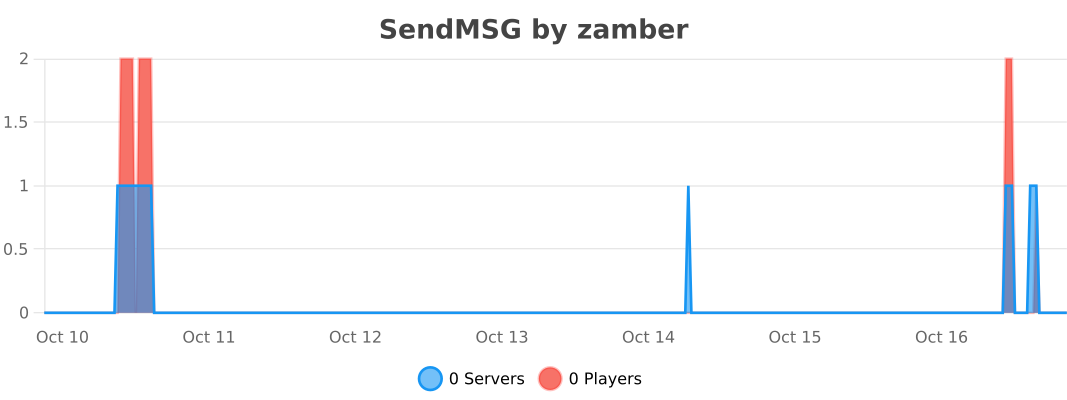
Statistics
📞 Support
 Report a bug – Join our Discord
- Suggest a feature – Same link
- Get help – Same link
Similar projects
Plugin →VeinMiner
Mine the whole vein on mining a single ore/block. Make the tedious mining experience to something satisfying and fun! FTB Ultimine alternative
99.3MSueta
Simple Voice Chat
A working voice chat in Minecraft!
76.8MSueta
Chunky
Pre-generates chunks, quickly and efficiently
18.4MSueta
VeinMiner Enchantment
Veinminer Addon - Adds vineminer enchantment to enchanting tables. Only tools with the enchantment can veinmine
18MSueta
JourneyMap
Real-time map used for mapping in-game or your browser as you explore.
14.7MSueta
WorldEdit
A Minecraft Map Editor... that runs in-game! With selections, schematics, copy and paste, brushes, and scripting. Use it in creative, or use it temporarily in survival.
11.6MSueta